Smash & Speed controls
| Action | Keyboard / mouse |
|---|---|
| Drive | W, A, S, D |
| Handbrake | Space |
| Boost | Shift |
| Change camera | C |
| New vehicle | N |
| Repair | R |
| Slow motion | B |
| Pause | Tab |
About Smash & Speed
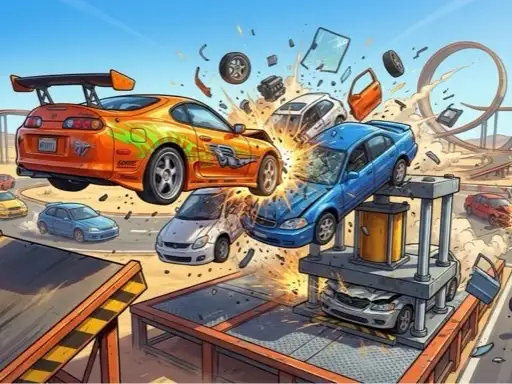
Smash & Speed is a sandbox built for one thing: crashing cars and watching what happens. You choose a map, drive off into a world of ramps, loops, rotating hammers and giant hydraulic presses, and then decide how you want to wreck your car. There is no race to win and no timer counting down. The fun comes from experimenting, and from the satisfying way the bodywork crumples and parts fly off when you get it wrong on purpose.
The game is published under the name lilfungame and uses a physics engine you may recognise from other sandbox driving games on this site: a slow-motion key, an instant repair key and a choice of cameras that make every crash easy to watch again.
How to play Smash & Speed
Choosing a map
After the opening advert, the menu shows a playground with a red crusher, a tower and a pile of wrecked cars. Press Play and choose a map. Two of them are Deadly Descent, a steep mountain run, and the Destructible Test Site, a flat area full of springs, ramps and obstacles. The menu panel lists every control on the right.
Driving and crashing
Drive with W, A, S and D, use Space for the handbrake and Shift for a boost. Aim the car at a press, a ramp or a moving vehicle and see what happens. Press B to slow down time and watch the impact frame by frame.
Repair, swap and tune
Press R to repair your car instantly and N to switch to another vehicle. The garage lets you paint the car, add decals and body kits, and adjust wheels and suspension for bouncier or faster runs.
Tips for spectacular crashes
- Use slow motion before impact, not after. Pressing B just before a crash gives the best view.
- Try different cameras. C switches views; a chase camera shows the whole car folding up.
- Repair between attempts. A fresh car crumples in more dramatic ways than one that is already wrecked.
- Soften the suspension. Bouncy settings make jumps wilder and landings more chaotic.
- Explore every trap. Each map hides interactive presses and traps that are easy to miss on the first drive.
What makes a good sandbox game
Sandbox driving games work when they give you tools and leave the rest to your imagination. Smash & Speed does that well: you can set your own challenge, such as reaching the bottom of Deadly Descent in one piece or hitting a ramp at full boost, and the game simply reacts. It suits short sessions as well as long ones, because there is nothing to lose by stopping.
Who will enjoy Smash & Speed
It is ideal for players who like experimenting more than winning. For a similar sandbox with city and moon maps, try Police Chase Simulator, or for stunts on a race track, play Turbo Stunt Racing. See all our driving games.