City Bus Simulator controls
| Action | Keyboard / mouse |
|---|---|
| Drive and steer | W, A, S, D |
| Brake | Space |
| Camera angle | C |
| Pause | P |
About City Bus Simulator
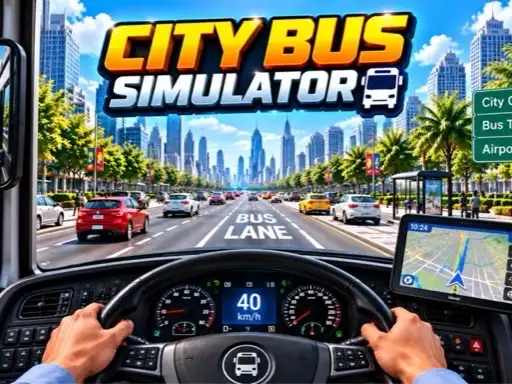
City Bus Simulator puts you in charge of a full-size coach in a busy city. The first thing you see is your bus up on a lift in a workshop, with tools on the shelves and a row of other buses waiting to be unlocked. From there you head out onto the streets to collect passengers from stops, carry them across town and drop them where they need to go.
The developer, CodesXpirit, lists the game as a full passenger pick-up and drop-off simulator, and it plays like one. A bus is long and slow to respond, and much of the challenge comes from judging its length on tight corners and at the kerb beside each stop.
How to play City Bus Simulator
Choosing a bus and mode
In the workshop, choose a bus from the row at the bottom and press Select. The mode screen offers City Mode, Parking Mode and Free Mode, plus Heavy Traffic, which is marked as coming soon. City Mode then asks whether you want to drive by day or by night.
Levels
City Mode is split into levels. Level 1 is unlocked straight away; the others open as you complete them. A short opening scene shows the bus station before you take control, and a Skip button lets you jump straight to driving.
Controls
On a computer, steer and drive with W, A, S and D, brake with Space, change the camera with C and pause with P. On a phone, on-screen buttons handle left, right, accelerate and brake.
Passengers and parking
Follow the route to each stop, pull up close to the kerb and wait for passengers to board. At the end of the route, drop them off and park the bus in its marked space.
Tips for smooth bus driving
- Swing wide at junctions. The rear wheels cut inside the turn, so start the corner later than in a car.
- Brake early. A heavy coach needs far more distance to stop.
- Use the camera. A higher view makes it easier to line up with stops and parking spaces.
- Practise in Free Mode. Learning the bus without a timer makes City Mode much less stressful.
Your first route
The first level begins at the bus station. Watch the short introduction or skip it, then pull out slowly and follow the route. Take the first junction wide and practise stopping beside the kerb at the first stop. Getting the stopping position right early will make every later route easier.
Day or night?
Night driving looks atmospheric but makes the road harder to read. Start with daytime levels until you know the routes.
Who will enjoy City Bus Simulator
It suits patient drivers who enjoy a job to do. For another passenger service on smaller wheels, try E-Rickshaw Simulator, or move heavy cargo in Grand Truck Simulator. See all our driving games.