Grand Truck Simulator controls
| Action | Keyboard / mouse |
|---|---|
| Drive and steer | Arrow keys |
| Pause | Pause button |
About Grand Truck Simulator
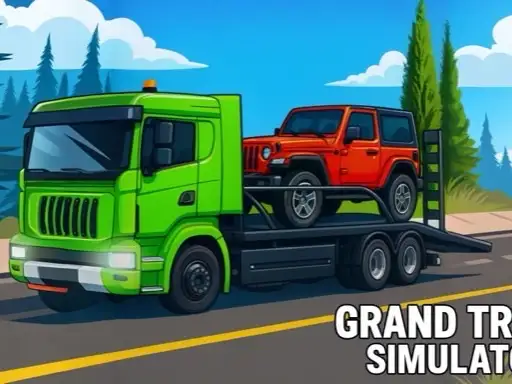
Grand Truck Simulator casts you as a roadside rescuer. Somewhere in town a car has broken down, and it is your job to drive a flatbed recovery truck to it, load it up and bring it back to the repair shop. The missions are short and clear, and the focus is on handling a big vehicle through ordinary traffic.
The developer, Mayaavi game studio, gives every mission a little briefing. A cartoon mechanic appears with a Recovery card explaining the task, such as driving to the vehicle location and following the instructions to load it onto the truck. Three hearts at the top of the screen show how many collisions you can afford.
How to play Grand Truck Simulator
Choosing a truck and level
From the title screen, press Play to reach Select Vehicle. Arrows browse the trucks, each with bars for speed, engine and handling. Press Select, then choose a level from the grid; the first one is open and the rest unlock as you progress.
Controls
Drive with the arrow keys: up to accelerate, down to brake or reverse and left and right to steer. The game is listed for desktop only.
Loading and delivering
Follow the route to the broken-down car. Line the truck up as instructed so the vehicle can be loaded onto the flatbed, then drive it to the repair shop to finish the mission.
Lives and rewards
Each collision with traffic costs a heart. Lose them all and the mission fails. Completing jobs earns rewards that unlock more powerful trucks.
Tips for safe recovery
- Drive below the traffic's speed. Overtaking in a long truck is where most collisions happen.
- Brake well before junctions. The truck is heavier once a car is loaded.
- Line up slowly when loading. A straight approach makes the job quicker.
- Check the timer and the hearts. Rushing costs lives, which costs more than time.
- Try a better truck. Higher handling makes city streets far easier.
Your first mission
The first level is a straightforward recovery job. Read the briefing, press OK and follow the route at a steady pace. Watch how much longer the truck takes to stop once the car is on the flatbed, because that change in weight is what catches most new drivers out on the way to the repair shop.
Choosing a truck
Each truck shows bars for speed, engine and handling. For city missions, handling matters more than top speed, and a responsive truck is much easier to line up with the broken-down car.
Who will enjoy Grand Truck Simulator
It is a good fit for players who like a clear job and heavy vehicles. For trailer reversing, try Truck Parking, or carry passengers in City Bus Simulator. See all our driving games.